SmartFlow
AI Designed Partner for UX/UI Desginers
User Experience | User Interface | Product Design
Overview
The "SmartFlow" is an AI-powered system, "Loveable" designed to help designers manage their creative workflow in a smarter, more efficient, and inspiring way.
Instead of juggling spreadsheets, notes, and scattered tools, "SmartFlow" centralizes everything in one place, projects, tasks, ideas, collaborations, and AI-generated suggestions.
The platform was built as a concept for an AI assistant for designers, acting like a real teammate who offers ideas, improves UX, and supports the design process from start to finish.
Instead of juggling spreadsheets, notes, and scattered tools, "SmartFlow" centralizes everything in one place, projects, tasks, ideas, collaborations, and AI-generated suggestions.
The platform was built as a concept for an AI assistant for designers, acting like a real teammate who offers ideas, improves UX, and supports the design process from start to finish.
Main Goal
The main goal was to turn artificial intelligence into a true design partner, not just a technical tool, but a creative collaborator.
"SmartFlow" aims to empower designers by combining human intuition with AI logic, creating a workflow that is faster, more organized, and full of inspiration.
The vision: a world where designers work with AI, not instead of it.
"SmartFlow" aims to empower designers by combining human intuition with AI logic, creating a workflow that is faster, more organized, and full of inspiration.
The vision: a world where designers work with AI, not instead of it.
The Problem
Designers often struggle with too many tools, scattered notes, and lack of visibility across projects.
There’s no single hub that connects task management, design inspiration, prototypes, and collaboration in one place.
The challenge was to create a unified, intuitive, and human centered interface that supports every stage of the design process, from brainstorming to analytics.
There’s no single hub that connects task management, design inspiration, prototypes, and collaboration in one place.
The challenge was to create a unified, intuitive, and human centered interface that supports every stage of the design process, from brainstorming to analytics.
The Solution
"SmartFlow" was designed as an AI Design Partner a clean, integrated platform that connects project management, prototype generation, analytics, and AI collaboration.
The AI continuously analyzes designer activity, suggests UX improvements, optimizes workflows, and sparks creativity. The result: a seamless bridge between human creativity and artificial intelligence.
The AI continuously analyzes designer activity, suggests UX improvements, optimizes workflows, and sparks creativity. The result: a seamless bridge between human creativity and artificial intelligence.
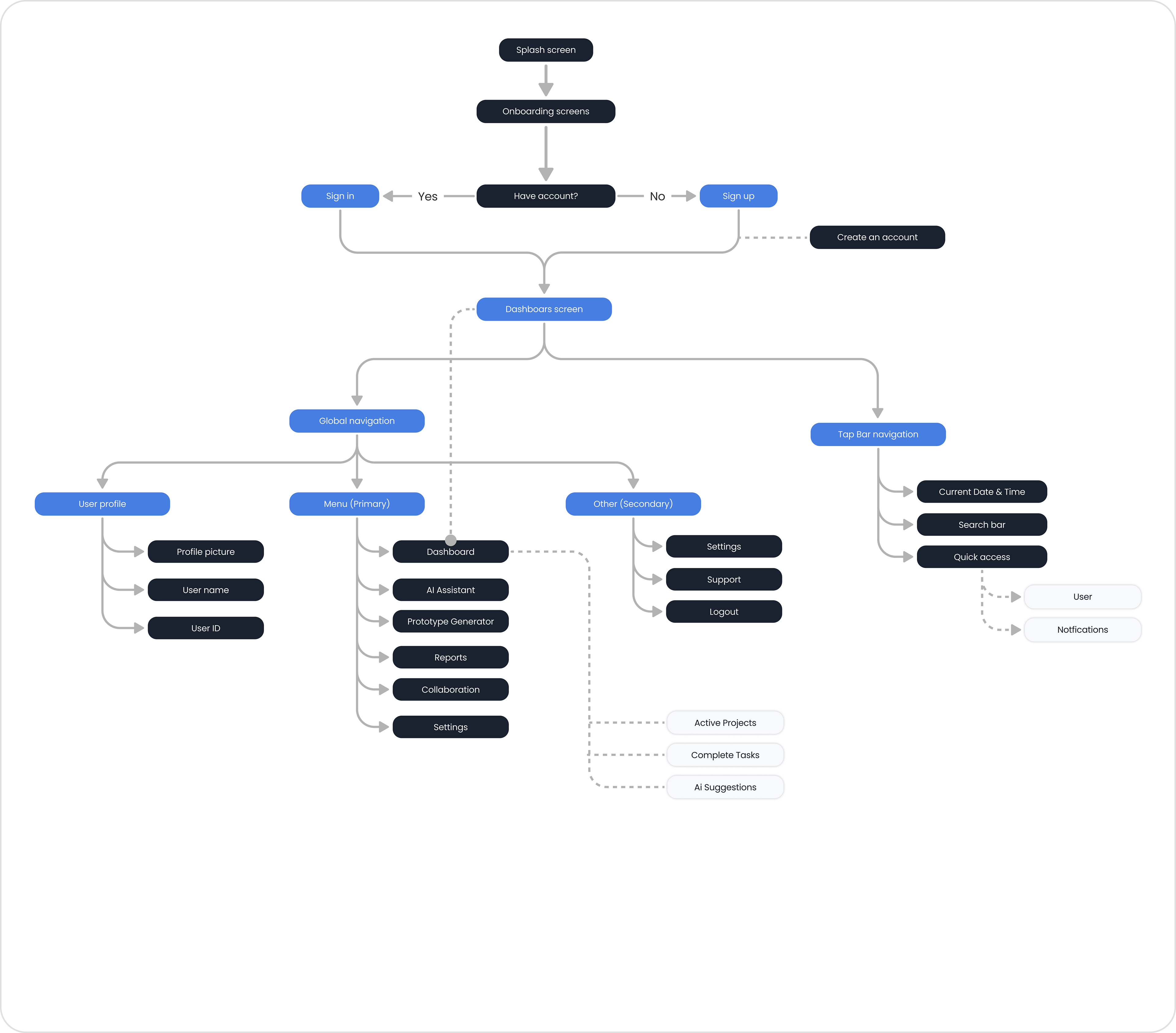
User Flow Overview
Design
"SmartFlow" was designed with a clean, modern aesthetic that reflects creativity, focus, and collaboration.
The interface uses soft neutral tones with accents of blue and purple to represent intelligence, clarity, and trust key values in both AI and design work.
A light layout and generous spacing ensure a calm, distraction-free environment that allows designers to focus on their workflow. Micro interactions, rounded corners, and subtle shadows add a sense of friendliness and motion, making the system feel like a real design partner rather than just a tool.
The interface uses soft neutral tones with accents of blue and purple to represent intelligence, clarity, and trust key values in both AI and design work.
A light layout and generous spacing ensure a calm, distraction-free environment that allows designers to focus on their workflow. Micro interactions, rounded corners, and subtle shadows add a sense of friendliness and motion, making the system feel like a real design partner rather than just a tool.
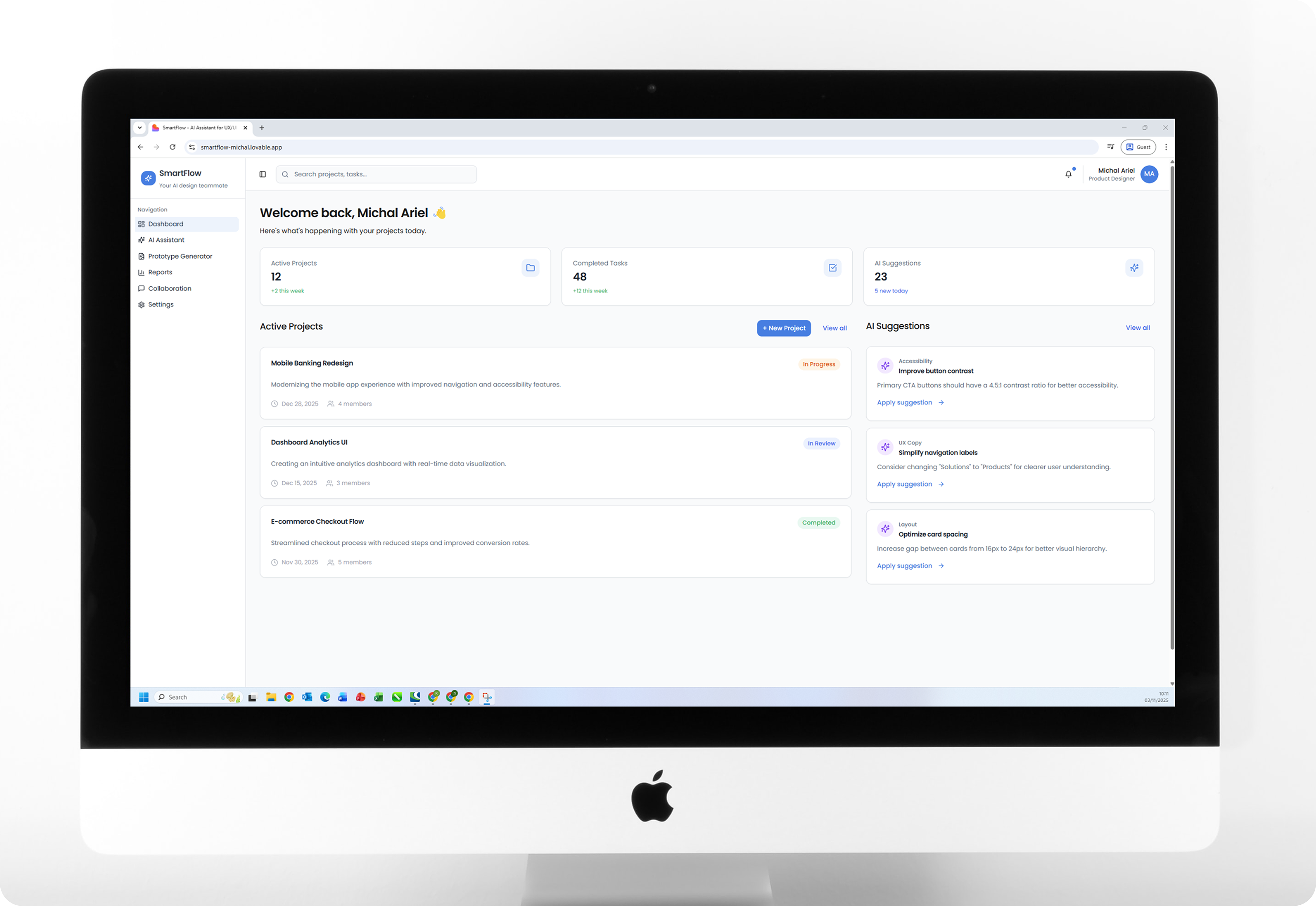
Dashboard - Main Screen
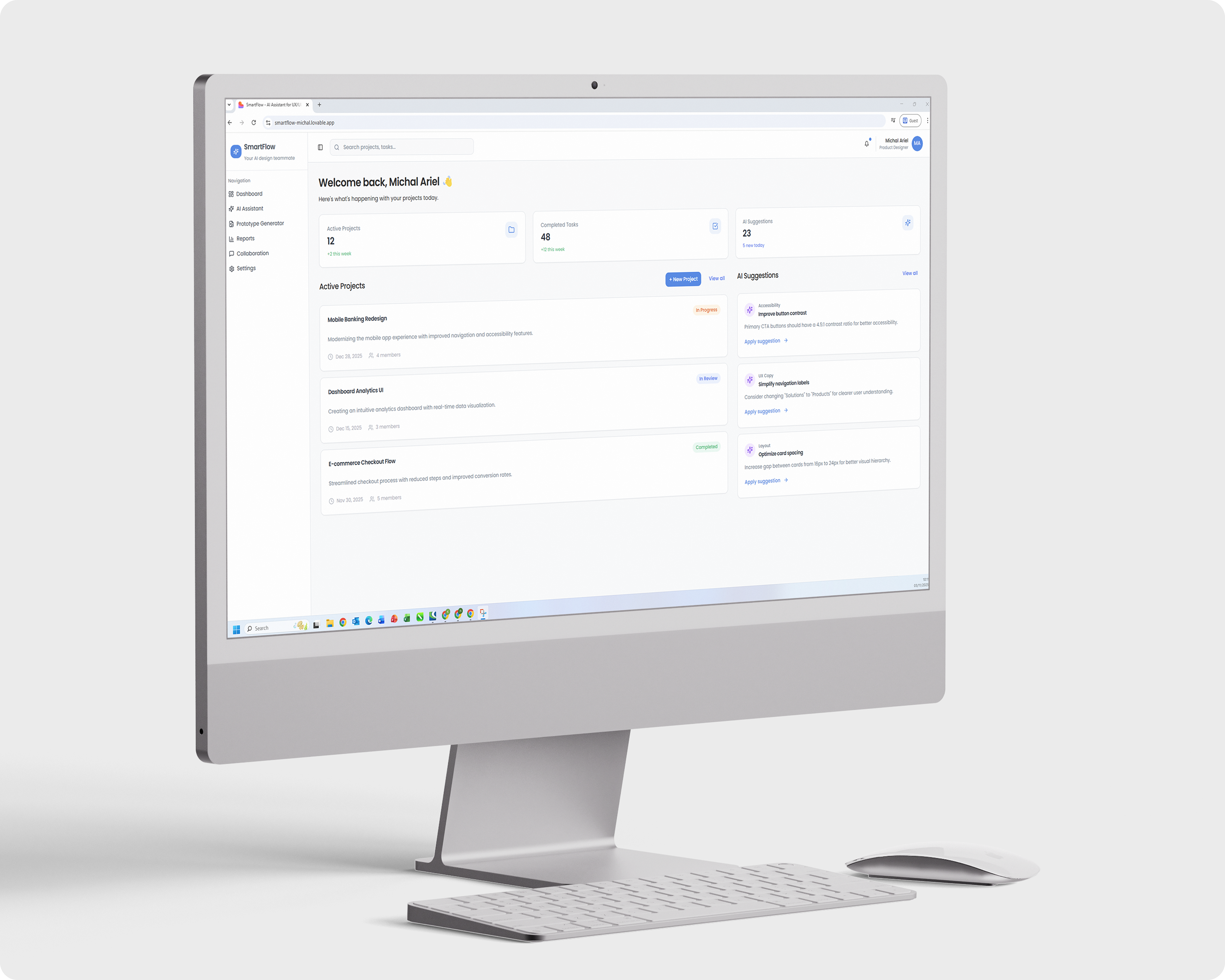
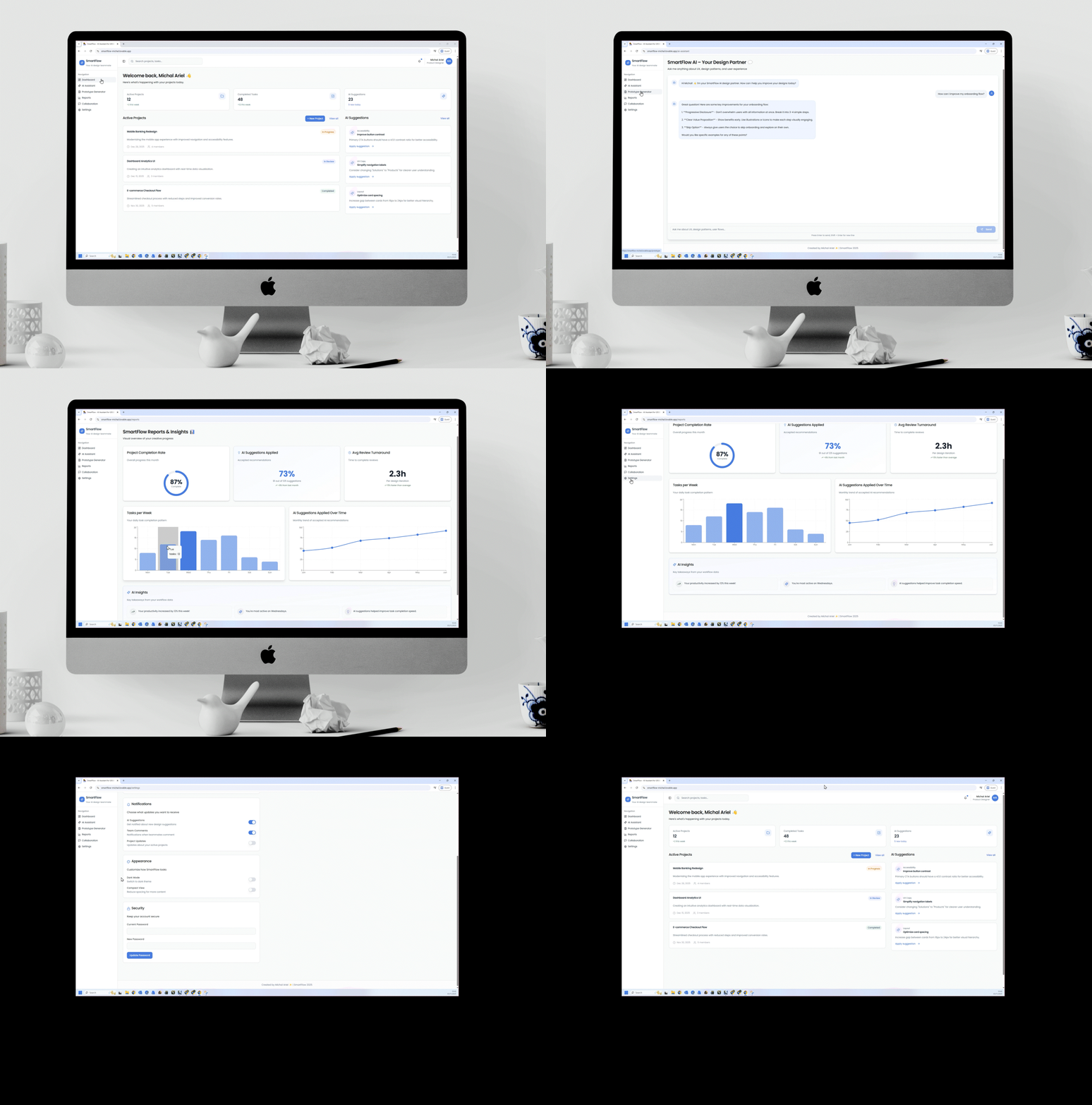
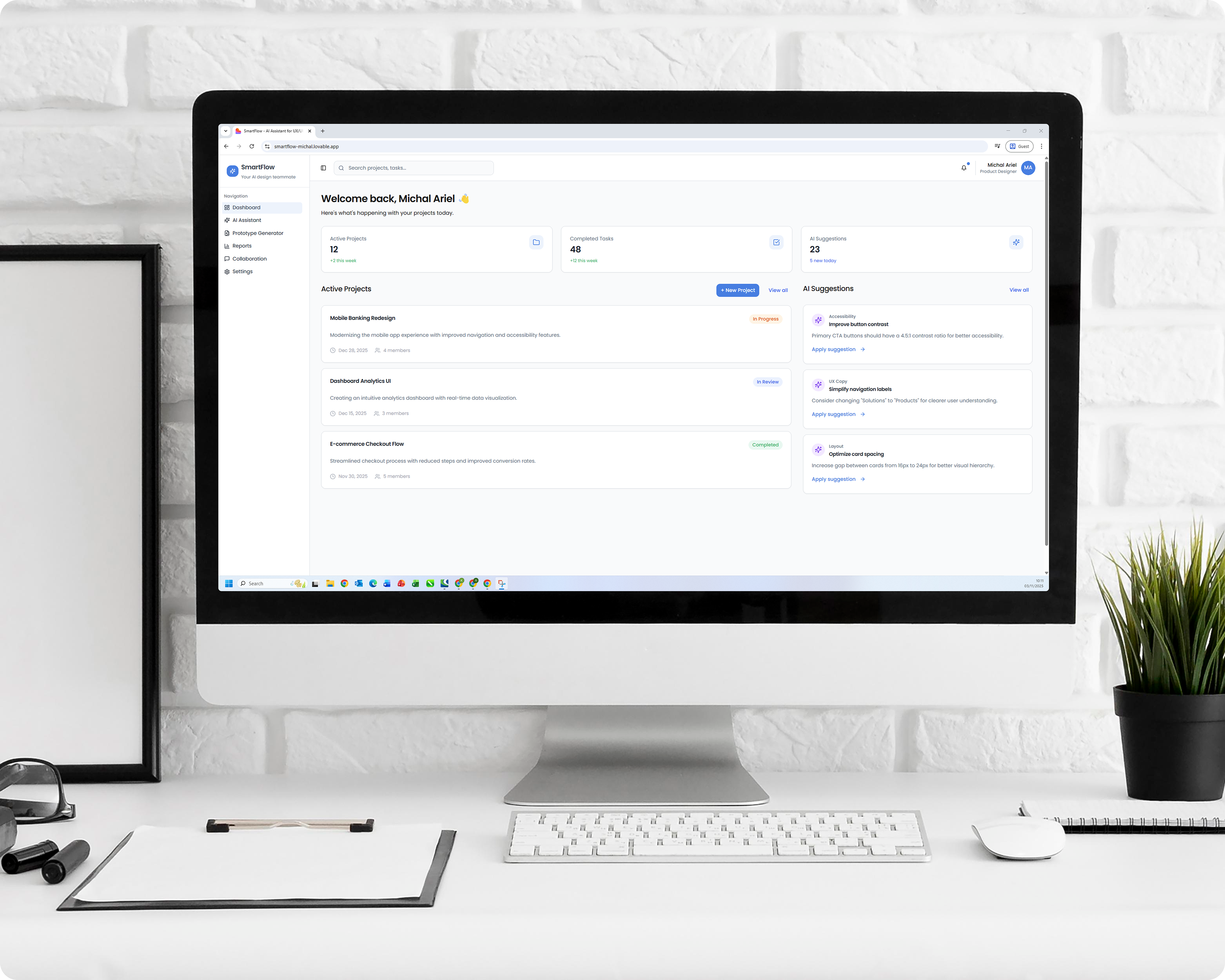
The home screen gives designers a clear overview of all active projects, including status, deadlines, and AI-generated insights.
For example: “Try adding a small reward element to this screen to boost engagement.”
It provides a real time snapshot of progress and helps identify areas for improvement.
For example: “Try adding a small reward element to this screen to boost engagement.”
It provides a real time snapshot of progress and helps identify areas for improvement.
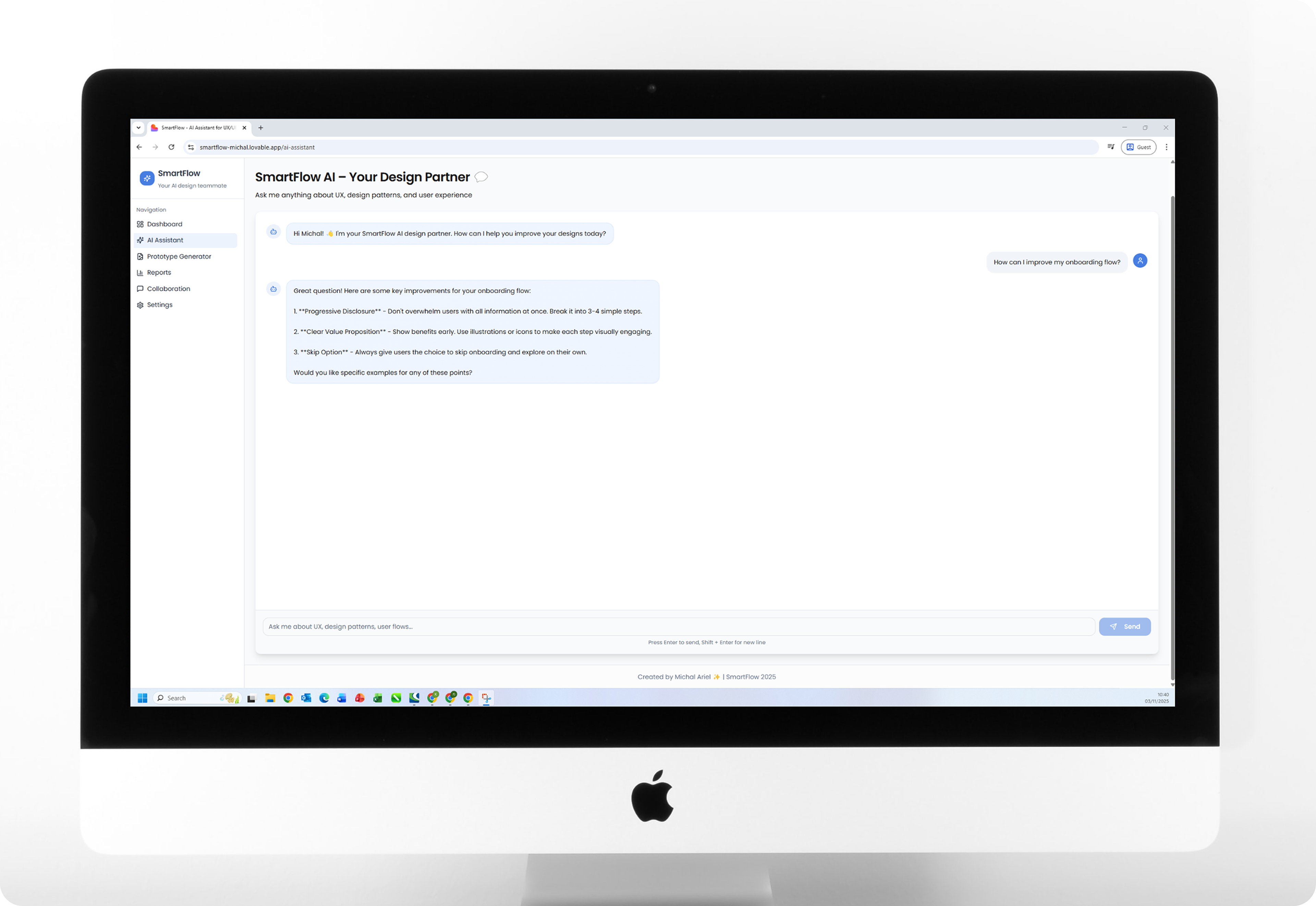
Ai Chat Assistant - Virtual Design Temmate
A conversational AI that offers UX ideas, improves copy, and gives practical suggestions.
For example, when asked “How can I improve my onboarding flow?”, the assistant responds with tailored insights, best practices, and examples. It feels like brainstorming with an experienced teammate.
For example, when asked “How can I improve my onboarding flow?”, the assistant responds with tailored insights, best practices, and examples. It feels like brainstorming with an experienced teammate.
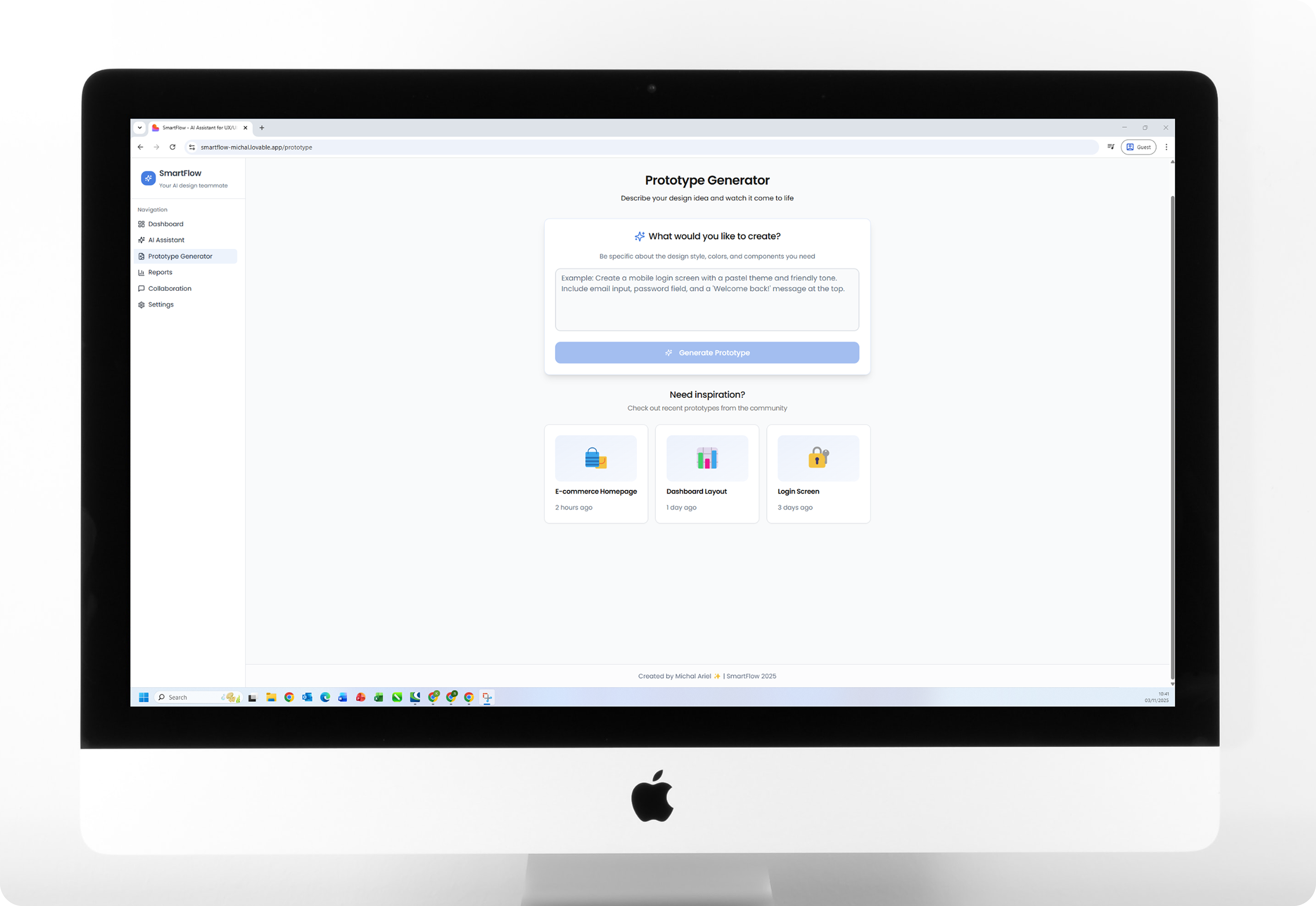
Prototype Generator - Fast Ideation
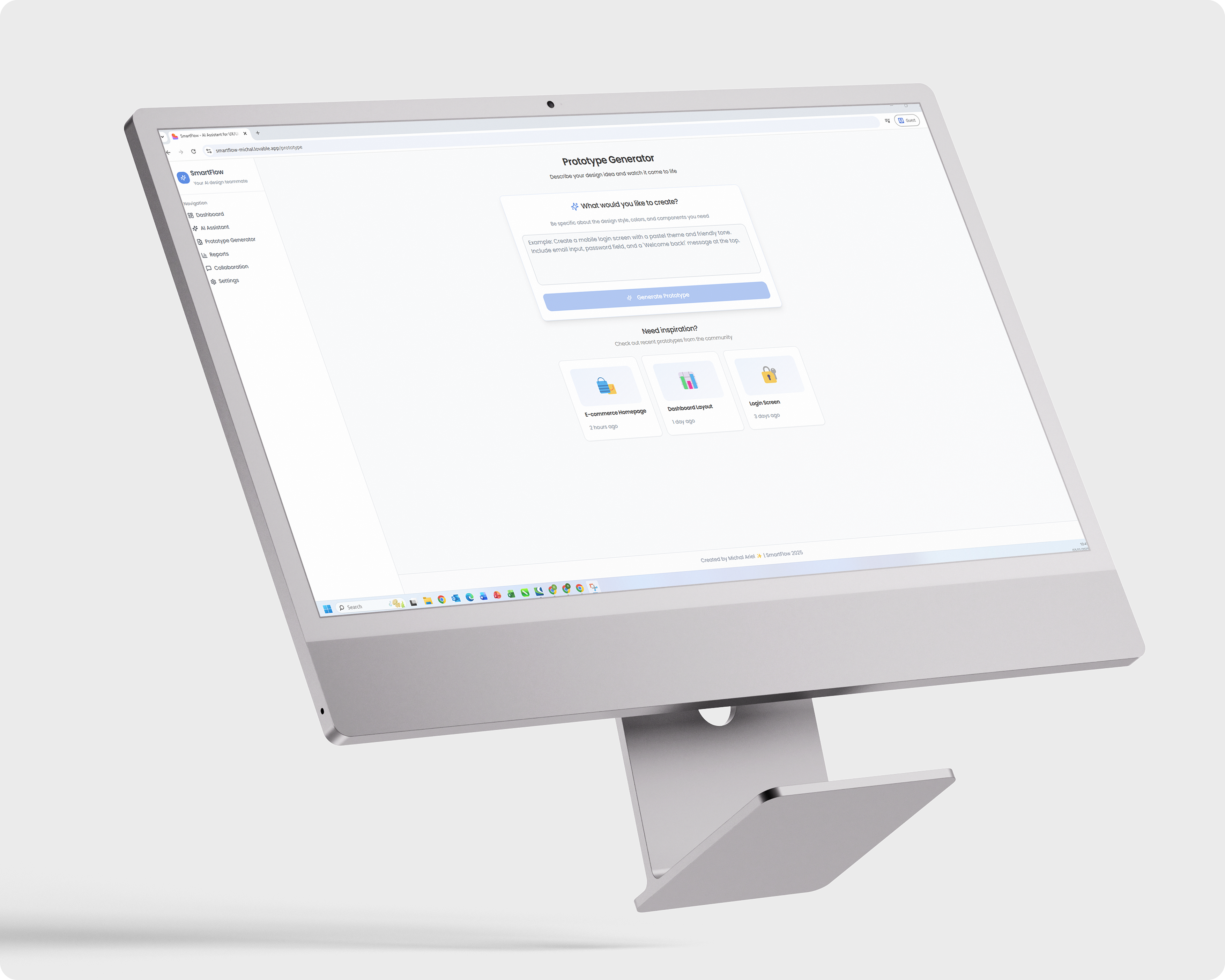
A creative playground where designers type an idea, for example:
“Create a mobile login screen with pastel colors and a friendly tone.”
The AI instantly generates a prototype suggestion or a basic UX structure.
The goal: speed up early ideation and wireframing, not replace design, but make it smarter and faster.
“Create a mobile login screen with pastel colors and a friendly tone.”
The AI instantly generates a prototype suggestion or a basic UX structure.
The goal: speed up early ideation and wireframing, not replace design, but make it smarter and faster.
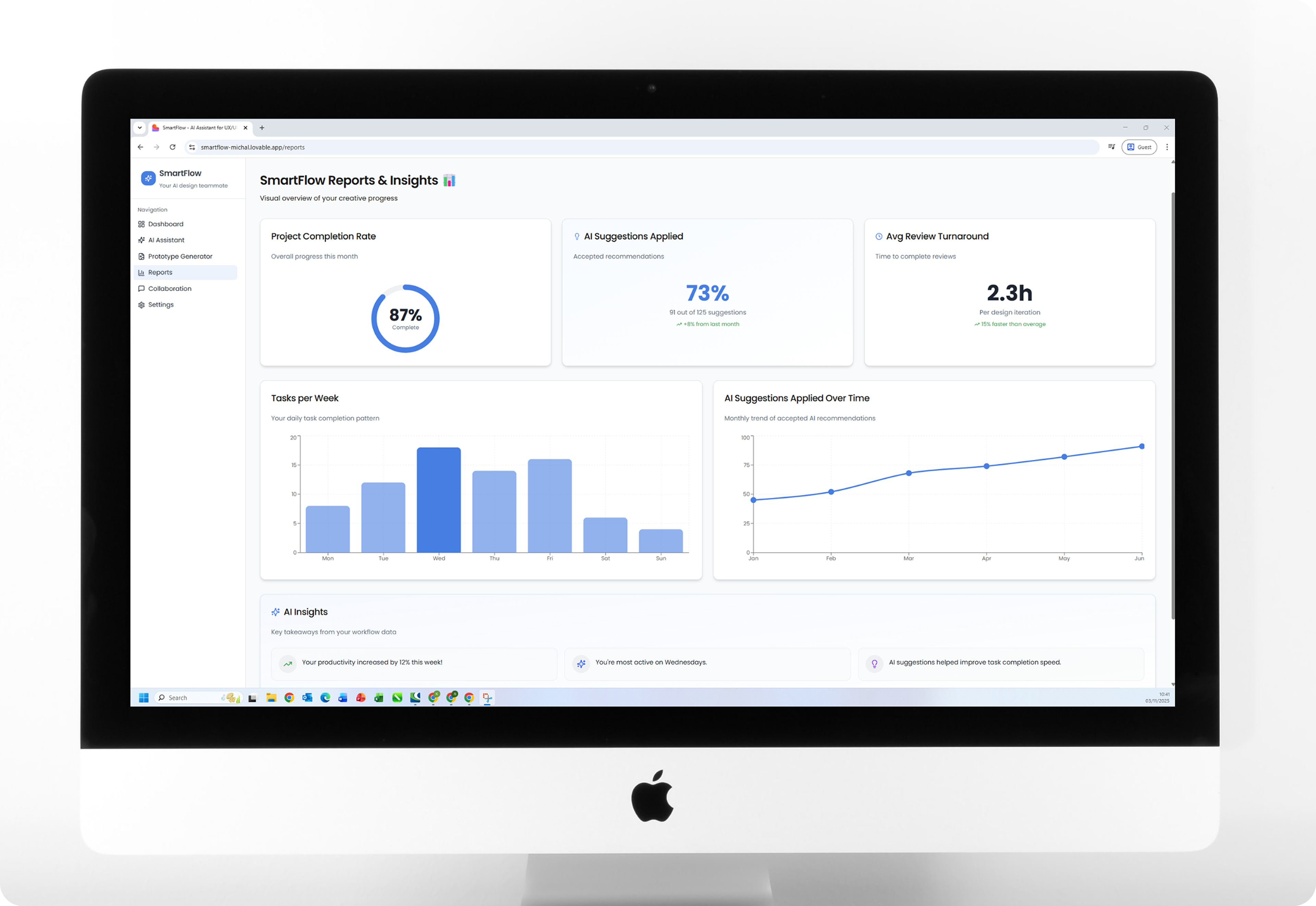
Reports - Data Driven Insights
An analytics dashboard visualizing project progress, completion rate, and AI recommendations.
Designers can see how many suggestions were implemented, track productivity trends,
and gain a clear view of their design efficiency.
The data turns into actionable insights, helping designers and managers optimize their workflow.
Designers can see how many suggestions were implemented, track productivity trends,
and gain a clear view of their design efficiency.
The data turns into actionable insights, helping designers and managers optimize their workflow.
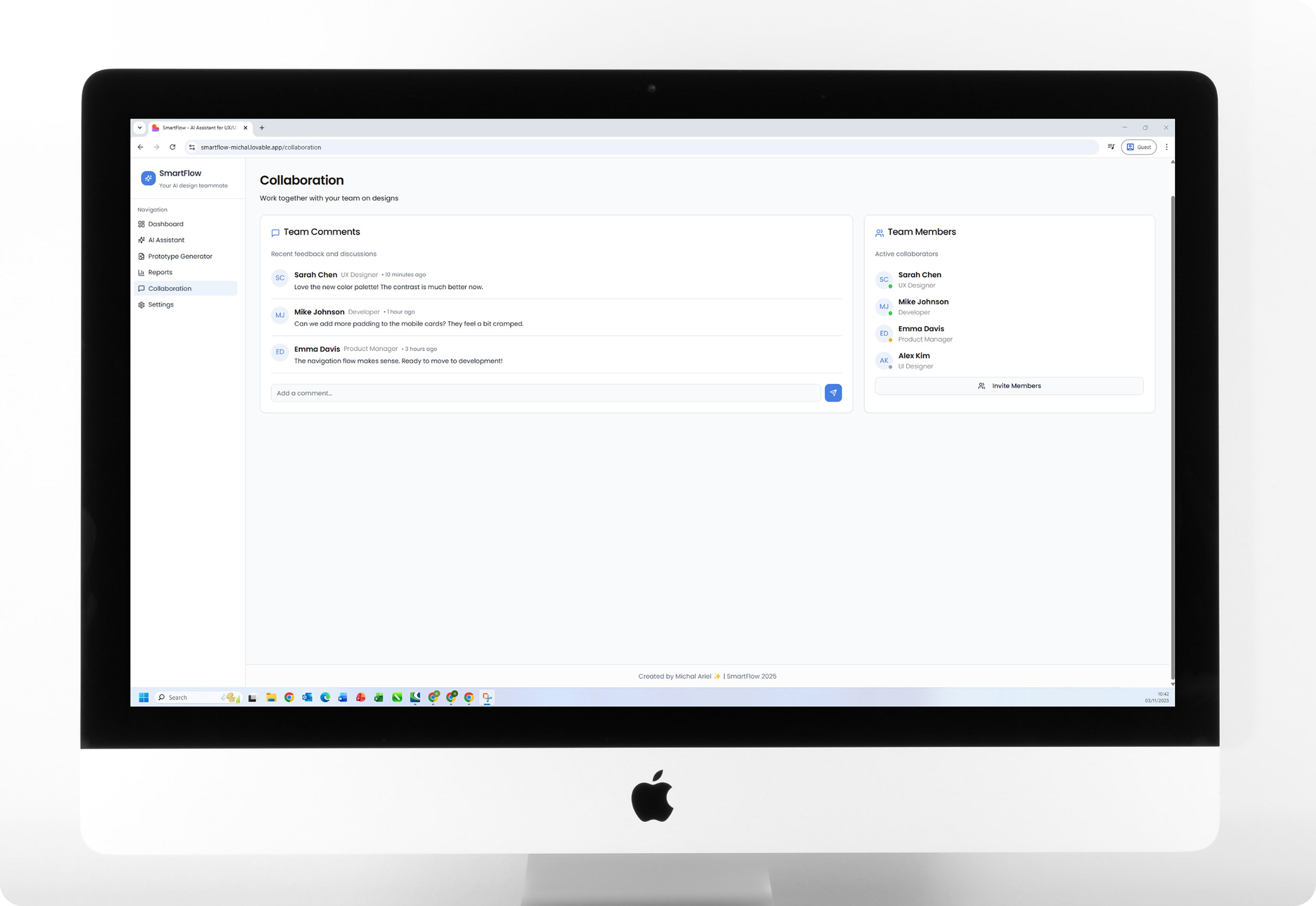
Collaboration Hub - Team Communication
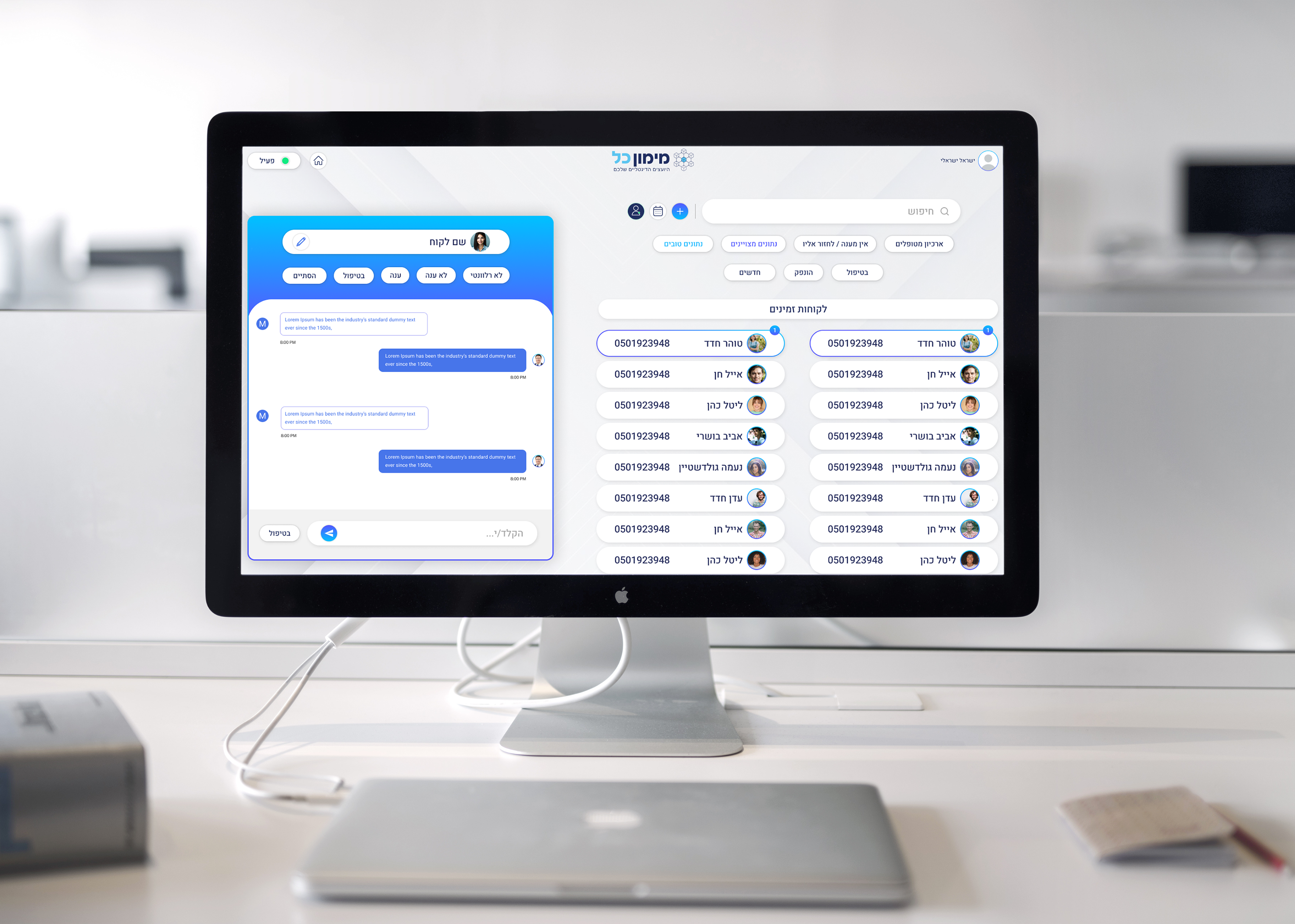
A dedicated space for real time feedback, comments, and file sharing between designers, copywriters, and developers.
The goal: simplify teamwork and centralize communication, no more switching between Slack, Notion, and email threads.
The goal: simplify teamwork and centralize communication, no more switching between Slack, Notion, and email threads.
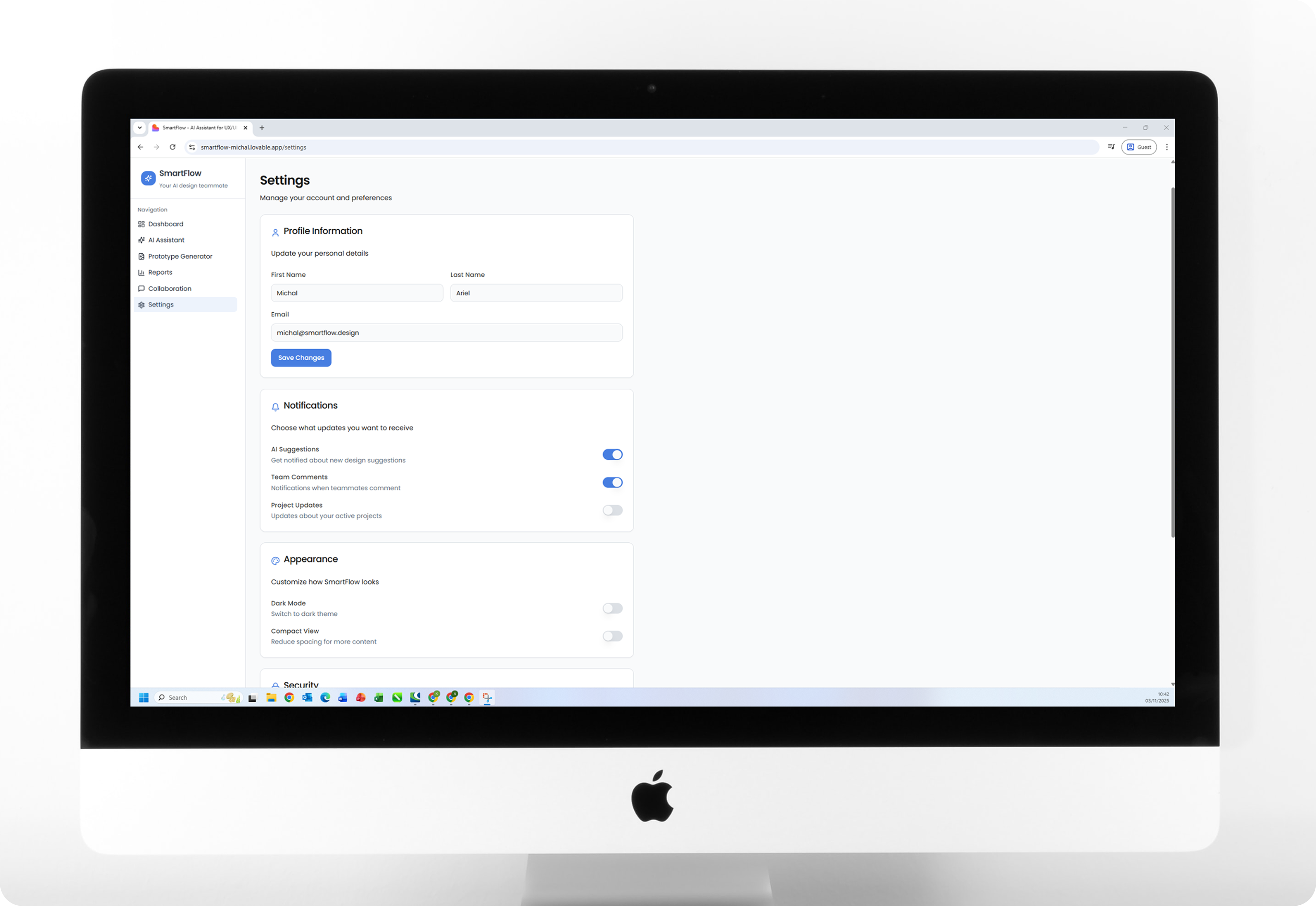
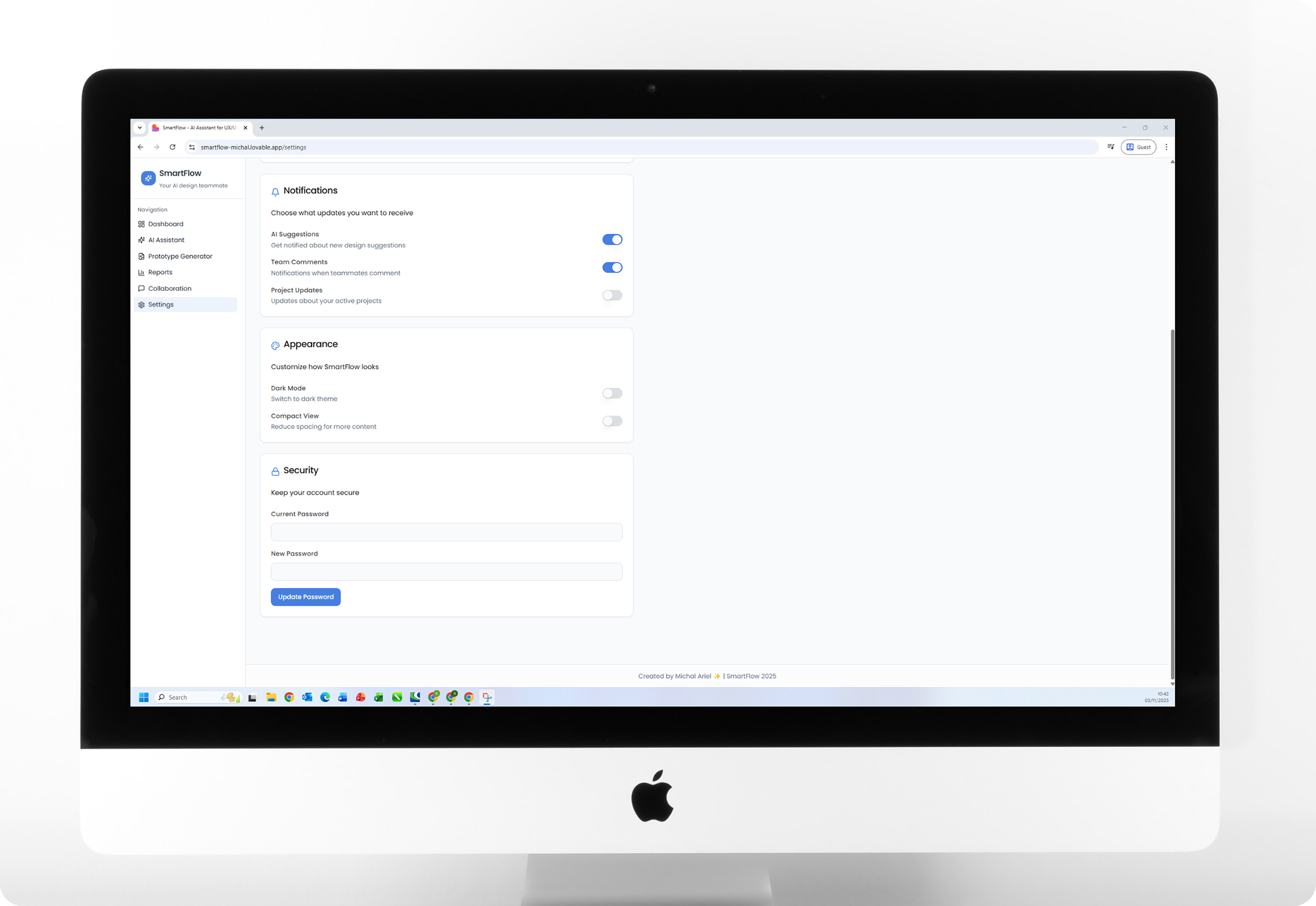
Settings - Personal Hub
This screen gathers design references, Figma links, and AI-generated ideas all in one place.
It allows designers to manage preferences, access inspiration, and stay organized, a single hub that keeps every creative resource within reach.
It allows designers to manage preferences, access inspiration, and stay organized, a single hub that keeps every creative resource within reach.
Result
"SmartFlow" bridges the gap between AI and human creativity, offering a vision for the future of design collaboration.
It redefines how designers manage projects, communicate, and generate ideas, transforming artificial intelligence from a tool into a true creative partner.
It redefines how designers manage projects, communicate, and generate ideas, transforming artificial intelligence from a tool into a true creative partner.